

Smart billing
for public toilets
A complete solution for smart billing, automatic access control and easy management. The system includes several supported payment methods and easy service selection via a self-service payment terminal.
Self-service payment terminal
Intuitive user interface; touch screen and web application with simple user instructions.
Flexible payment
Card payment
By scanning the QR code
By entering a one-time PIN
RFID (for known users)
Cash (coins)
Fiscalization
Automatic issuing of invoices in accordance with the law
Access control
Connected access control; automatic barriers, free passage after payment.
Transaction overview
Clear insight into the business through daily reports on traffic, billing and usage.
Remote support
System updates and remote technical support.
One device
more payment options
The self-service payment device enables simple and fully automated payment for the use of public toilets.
The system is adaptable to different types of facilities and business models and supports multiple payment methods.
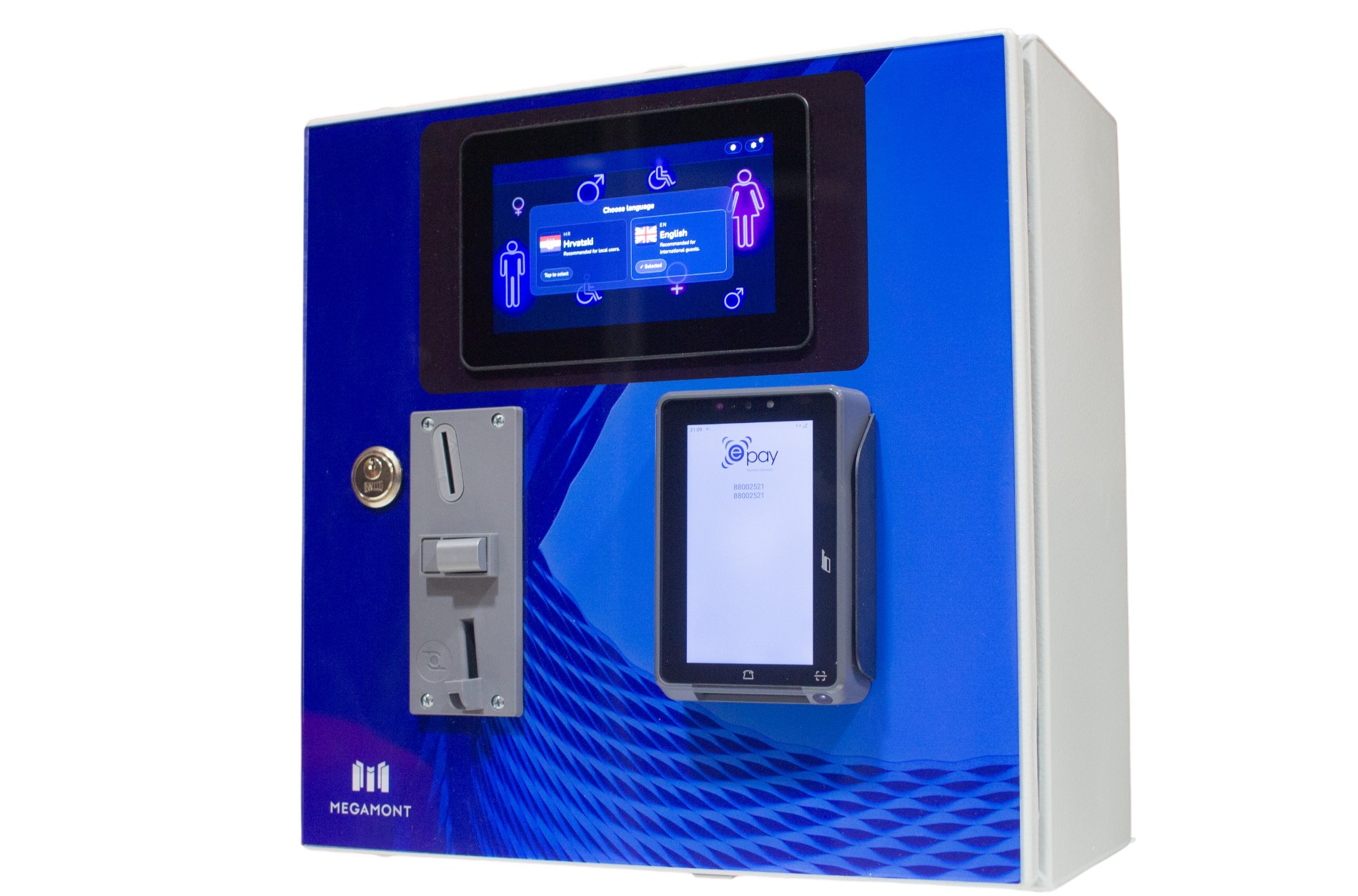
Card payment
Card and contactless payment via an integrated POS device.
QR code for payment
The QR code for paying for the service is displayed on the touch screen. The user scans it with their mobile phone.
One-time PIN
Entering a one-time access PIN issued by the reception.
Cash
Cash payment is available as an additional option; a coin acceptor can be installed.
Issuing R1 invoices
For business users, it is also possible to issue an R1 invoice, which the user receives via email.
RFID passes
Free passage with RFID card scanning for subscribers, facility staff, etc.
From selection to access
in just a few steps
An intuitive user interface guides the user through the entire process; from service selection and billing to automatic access approval and entry to the restroom.
1. Multilingual interface
Simple language selection enables intuitive use in both domestic and foreign languages. After selecting the language, the user continues to the next step.
2. Service selection
The interface displays available toilets. It is clearly indicated which toilet is free and which is occupied at a given time.
The user selects one of the offered toilets and proceeds to payment.
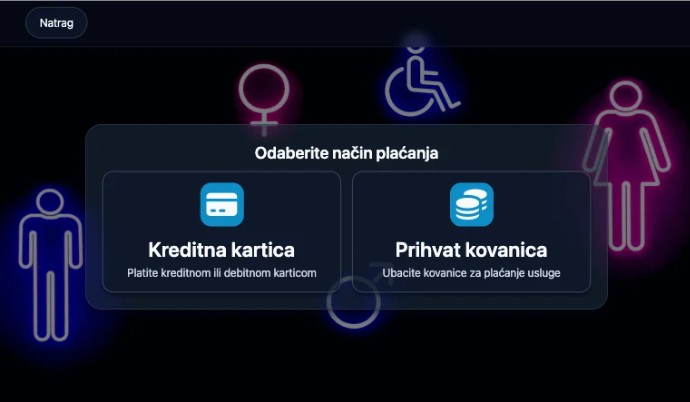
3. Select payment method
In this step, the user selects one of the offered payment methods and proceeds to the next step; they touch the bank card to the POS terminal, insert coins, etc.
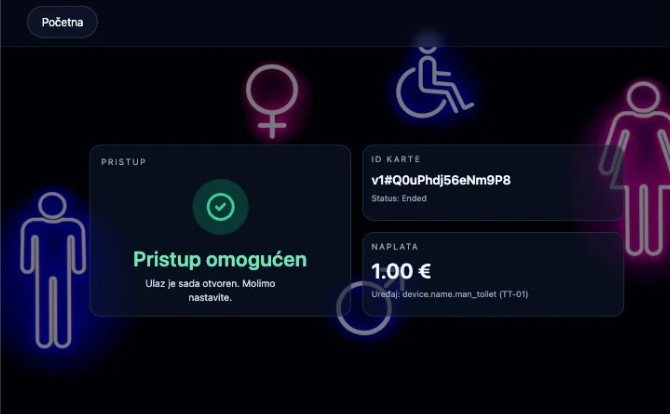
3. Free passage
Upon successful payment, the user is granted free passage - the associated access control opens automatically.
With daily traffic reports
to better insight into business
The integrated software enables simple billing, automatic fiscalization and review of traffic through daily reports in the web application, ensuring complete control over the business.
Fiscalization
Every successfully completed transaction is automatically taxed according to applicable regulations.
Web application
All transactions and relevant fiscalization data are available to the responsible staff in the web application 24/7.
Traffic reports
Daily traffic reports enable a more transparent insight into business operations and better planning.